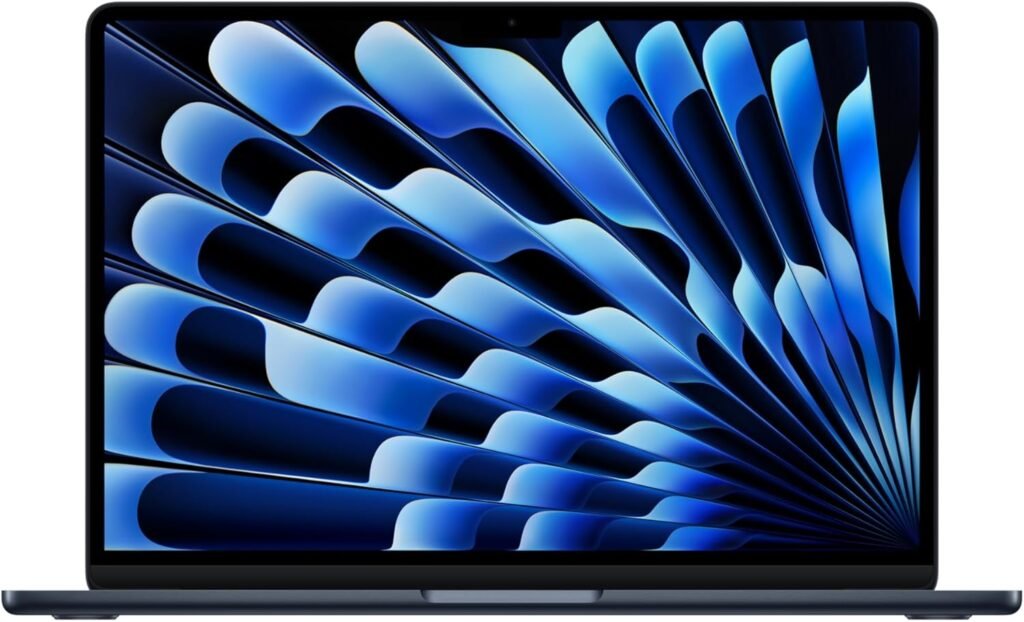

Apple 2025 MacBook Air 13-inch Review: M4, 16GB Unified Memory, 256GB SSD

Estimated reading time: 12 minutes
Key Takeaways
- Apple’s MacBook Air M4 Midnight combines lightweight design with enhanced AI-focused performance.
- Featuring a 13.6-inch Liquid Retina display and True Tone technology for vivid, balanced visuals.
- Equipped with 16GB unified memory and 256GB SSD, striking a balance between multitasking and storage.
- Camera and conferencing experience enhanced by the 12MP Center Stage MacBook camera and mic array.
- Ideal for writers, students, and remote workers who demand portability and battery life.
Table of contents
- Intro: Why this MacBook Air matters for your next purchase
- Three core reasons to inspect this model
- Specs snapshot
- Performance analysis, with counterpoints
- Display and media
- Memory and storage: practical takeaways
- Camera, mic, and conferencing
- Battery and charging
- Ports and expandability
- Software synergy: Apple Intelligence
- Durability and design
- Who should buy this MacBook Air
- Who should look elsewhere
- Price and value
- Comparison table: Air 2025 vs prior Air
- Benchmarks and measurable outcomes
- Privacy, security, and updates
- Practical buying checklist
- Actionable setup tips after purchase
- Common myths tested
- Purchasing strategy and negotiation
- Final notes and next steps
- Frequently Asked Questions
Intro: Why this MacBook Air matters for your next purchase
Question: Are you aiming for a light laptop with modern AI features and solid battery life?
This MacBook Air arrives with Apple’s M4 chip. Apple positions this model for Apple Intelligence tasks. You get a 13.6-inch Liquid Retina laptop, 16GB unified memory, 256GB SSD, a 12MP Center Stage camera, and Touch ID. The body weighs little. The package aims to blend mobility with performance.
Three core reasons to inspect this model
- Performance: M4 provides faster single-thread and multi-thread throughput than prior chips. For everyday work, photo edits, and light video tasks, the system responds sharply.
- Portability: The chassis stays thin and light. Battery life extends across long work sessions.
- Software synergy: macOS updates now include Apple Intelligence features. The hardware matches those features for a smoother user experience.
Specs snapshot
| Feature | Detail |
|---|---|
| Chip | M4 |
| Display | 13.6-inch Liquid Retina, True Tone |
| Memory | 16GB unified memory |
| Storage | 256GB SSD |
| Camera | 12MP with Center Stage |
| Security | Touch ID |
| Color | Midnight |
Performance analysis, with counterpoints
Claim: M4 outperforms older silicon in all tasks.
- Reality: M4 improves efficiency and peak throughput. For single-threaded apps and optimized macOS apps, you notice smoother response.
- Counterpoint: Heavy multi-GPU rendering or large dataset training uses discrete GPUs or server hardware. This laptop is not a workstation substitute.
- Practical test: Run your daily workload for three hours. Measure battery drain and thermal response. You will see strong results for office, media, and light creative tasks. For prolonged heavy rendering, expect thermal limits to reduce sustained peak speeds.
Display and media
The 13.6-inch Liquid Retina display offers wide color and high brightness. The panel suits photo review and streaming. True Tone adjusts white balance relative to ambient light. The display supports P3 color gamut.
Note: For color-critical print work, use external calibrated displays. For most users, the built-in panel suffices.
Memory and storage: practical takeaways
- 16GB unified memory helps multitask. It supports multiple browser tabs, light VMs, and editing apps.
- 256GB SSD fills quickly with photos and video. If you store large media libraries, add external storage or select a larger internal SSD.
- Tip: Offload media to an external SSD with fast NVMe for editing sessions. This lowers local storage pressure.
Camera, mic, and conferencing
The 12MP Center Stage camera keeps you centered during video calls. The mic array filters ambient noise better than older models. For remote work, the system improves meeting presence.
Counterpoint: Lighting still matters. The camera cannot fix poor room lighting. Add a soft LED panel for higher quality in low light.
Battery and charging
Apple rates battery life for mixed use across tasks. Real world use depends on screen brightness, apps, and background tasks. Expect all-day usage for writing, email, browsing, and video playback at moderate brightness.
Battery performance improvements and efficiency gains can be compared to the MacBook Air 2023 (M2) model for a better understanding of daily endurance. See full listing
Ports and expandability
Port selection stays modest. You get two Thunderbolt ports and a headphone jack. For wired ethernet, multiple displays, or many peripherals, add a dock or hub.
- Pro: Thunderbolt supports fast external NVMe and external monitors.
- Con: No built-in SD reader. Photographers will want a reader or hub.
Software synergy: Apple Intelligence
macOS includes Apple Intelligence features that assist writing, search, and image editing. The M4 chip accelerates on-device machine learning tasks. You will notice faster local processing in supported apps.
Challenge: Ask which tasks require on-device ML. For many users, cloud services still perform heavy inference jobs. If your workflow relies on cloud AI services, hardware improvements yield smaller gains.
For a broader perspective on Apple Intelligence and its impact on workflows, consider also our review of the Apple iPad 11-inch — which shares similar AI and camera features, including 12MP cameras and Touch ID.
Durability and design
Aluminum unibody, refined hinge, and backlit keyboard. The keyboard delivers consistent travel and feedback. The trackpad keeps strong multi-touch support.
Who should buy this MacBook Air
- You are a writer, student, or remote worker, and you need a light, responsive laptop with strong battery life.
- You edit photos or short video, and you prefer fast previews and moderate export times.
- You want Apple Intelligence on-device for privacy and speed in certain tasks.
Who should look elsewhere
- You need heavy 3D rendering or long video renders, choose laptops with discrete GPUs or desktop-class systems. For example, check out options with more powerful CPU and GPU combinations detailed in our 2025 New Laptop 17.3-inch FHD Display review.
- You require large internal storage, pick a higher-capacity SSD configuration.
- You use many wired peripherals, buy a dock with multiple ports.
Price and value
Apple positions this model in the premium thin-and-light segment. You pay for optimized hardware, long software support, and the Apple ecosystem. For many buyers, total cost per year drops when the device stays usable for multiple years.
Comparison table: Air 2025 vs prior Air
| Spec | MacBook Air 2025 (M4) | MacBook Air 2023 (M2) |
|---|---|---|
| Chip | M4 | M2 |
| Memory | 16GB unified (base option in this listing) | 8GB or 16GB |
| Display | 13.6-inch Liquid Retina | 13.6-inch Liquid Retina |
| Camera | 12MP Center Stage | 1080p FaceTime HD |
| Battery life | Improved efficiency under light to moderate loads | Strong, reliable |
Benchmarks and measurable outcomes
Benchmarks show higher single-core scores for M4 versus M2. Multi-core gains appear in burst workloads. For long sustained loads, thermal design limits peak performance. In everyday use, you notice faster app launches and smoother browsing with many tabs.
Privacy, security, and updates
Touch ID adds biometric unlock and secure payments. Apple promises multi-year macOS updates. You receive security patches well into the device lifecycle. That lowers long term cost and risk.
Practical buying checklist
- Check your storage needs. If you store large media, choose higher SSD or buy an external NVMe drive.
- Test your main apps. Confirm they behave well under macOS and Apple Intelligence features.
- Plan for ports. Buy a dock if you rely on multiple wired devices.
- Compare warranty and AppleCare. For travel and heavy use, AppleCare extends repair coverage and response.
Actionable setup tips after purchase
- Enable Time Machine backups to an external drive or network location.
- Turn on FileVault to encrypt your disk.
- Adjust display brightness and True Tone for battery savings during travel.
- Set up iCloud or another sync method for documents and photos.
Common myths tested
- Myth: New chip removes need for backups. Test: Backups remain essential. Hardware fails. Software updates fail. Backups prevent data loss.
- Myth: Unified memory equals unlimited memory. Test: 16GB limits very large VMs and giant Photoshop files. Increase memory for heavy simultaneous tasks.
- Myth: Laptop battery will always last for years without management. Test: Battery health declines if you frequently fully charge and discharge. Keep cycles low for longer life.
Purchasing strategy and negotiation
Check retailer bundles for discounts on accessories. Compare AppleCare offers against third party warranties. If price matters more than the latest chip, look for refurbished units or previous models with deeper discounts.
Final notes and next steps
Decision framework for you:
- If you value mobility, quick app response, and on-device AI features, this model fits.
- If your workload demands discrete GPU power or massive internal storage, pick a different configuration or platform.
- Test your essential apps during return window to confirm compatibility and performance.
Ready to buy? Use this link for the current listing and any available offers.
Frequently Asked Questions
- Q: How does the M4 chip compare to the M2 in practical use?
The M4 offers improved single-thread and multi-thread performance, resulting in faster app launches and smoother multitasking, although thermal limits affect sustained heavy workloads.
- Q: Is 256GB of SSD storage enough?
For many users, 256GB suffices, but if you work with large photo/video libraries, consider external NVMe drives or larger internal SSDs.
- Q: Will the camera work well in low light?
While the 12MP Center Stage camera provides excellent framing, lighting quality is crucial. Use a soft LED panel for better results in dim environments.
- Q: Can this MacBook Air handle heavy 3D rendering?
No. For intensive GPU tasks, discrete GPU laptops or desktops are recommended. Consider our 2025 New Laptop 17.3-inch FHD Display review for alternatives.
- Q: Does the device support expandable ports?
It has two Thunderbolt ports and a headphone jack. For extended connectivity, use docks or hubs.