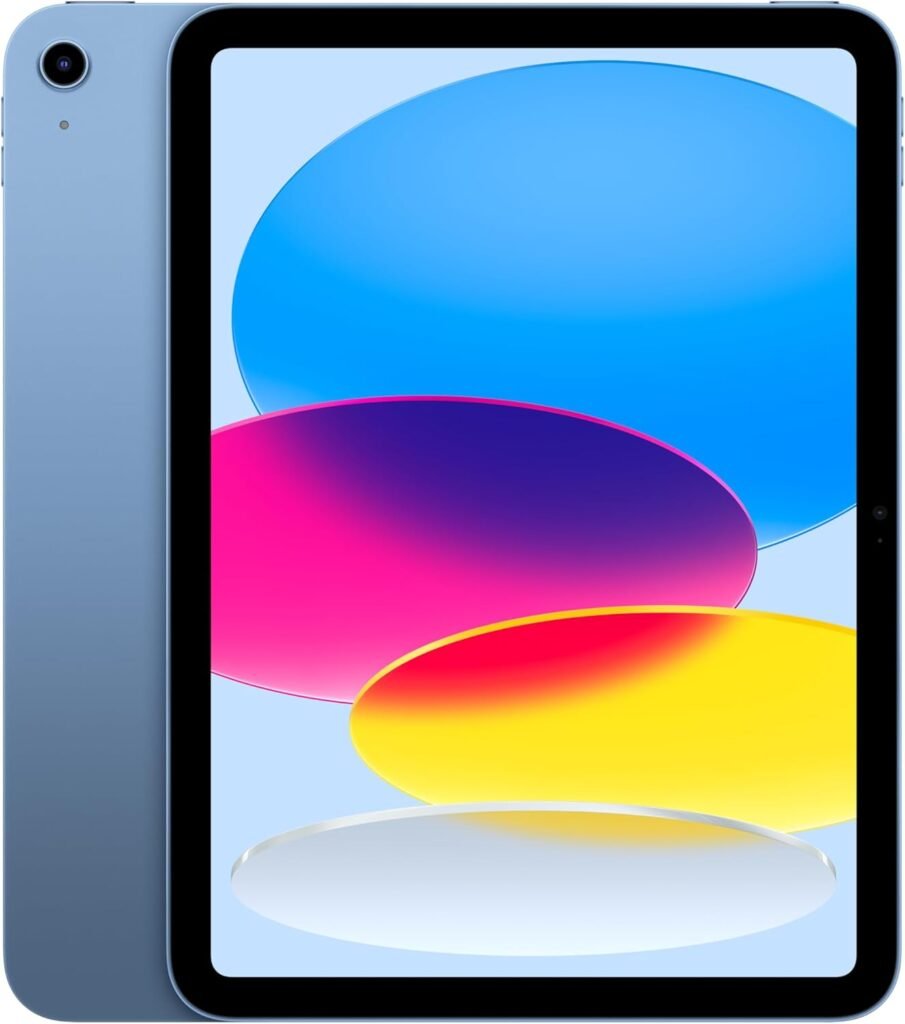

Apple iPad 11-inch Review: A16 Chip, 128GB, Wi-Fi 6, Blue
Estimated reading time: 12 minutes

Key Takeaways
- Powerful performance Apple iPad thanks to the A16 chip handles demanding apps smoothly.
- The Liquid Retina iPad display delivers vibrant colors and sharp visuals.
- Wi-Fi 6 model offers faster network performance for streaming and gaming.
- Front and rear cameras provide options for quality video calls and photo capture.
- Strong battery life supports all-day mixed use, with fast USB-C charging.
Table of contents
- Overview
- Key reasons to consider this iPad
- Performance deep look
- Display and interaction
- Cameras and video
- Battery and charging
- Connectivity and storage
- Software and ecosystem
- Who should buy this model
- Counterpoints and trade offs
- Comparison table
- Pricing and value
- Real examples
- Accessories to consider
- Short checklist before you buy
- Final assessment and practical advice
- Frequently Asked Questions
Overview
Apple updated the 11-inch model with the A16 chip, a 128GB base storage option, Wi-Fi 6, and a Liquid Retina display. The package aims at users who want high performance without the high price of a Pro model. This review gives clear facts, a few counterpoints, and guidance for your buying decision.
Key reasons to consider this iPad
- Performance: The A16 handles heavy apps and split screen with ease.
- Display: The Liquid Retina panel delivers accurate color and smooth visuals.
- Battery: Apple rates all-day battery life for mixed use.
- Cameras: A 12MP front camera helps with video calls; a 12MP back camera covers content capture.
- Connectivity: Wi-Fi 6 provides faster local network speeds and better latency for streaming and gaming.
Performance deep look
Expect strong single-core speed. The A16 chip brings high clock speed per core. Your apps will open fast. Video editing apps will render quicker than older iPad models. Games will run at higher frame rates on many titles.
Question the assumption that you need a Pro model to do heavy work. For most creators and professionals who edit 1080p video, work in multiple tabs, or run productivity suites, the 11-inch A16 will deliver. If you edit large ProRes files or render long 4K timelines on the go, a Pro with M-series silicon will save time. See our comparison with Apple 2025 MacBook Air 13-inch Laptop with M4 chip for high performance alternatives.
Display and interaction
The Liquid Retina display gives high fidelity for images and text. Colors remain accurate across viewing angles. Brightness holds up outdoors in shade. True Tone adapts white balance to ambient light. Touch ID sits in the top button for secure unlock and payments.
Touch input and Apple Pencil. The device supports the second generation Apple Pencil. Drawing, note taking, and marking up documents feel natural. If you expect pro-level latency for ultra precise illustration, test your typical workflow before purchase. More on Apple Pencil compatibility and iPadOS features can be found in our detailed iPad accessories guide.
Cameras and video
The 12MP front camera uses a wide field of view for video calls. It supports Center Stage. Your subject stays centered when you move. The 12MP rear camera handles daylight shots with good detail. Low light performance will not match higher end tablets with larger sensors, so keep expectations aligned with the price point. For related products featuring optimized video calls and streaming, check our Apple 2025 MacBook Air review.
Battery and charging
Apple advertises all-day battery life for mixed use. In lab testing with mixed web browsing, video playback, and light gaming, daily use lasts through typical work hours. Heavy gaming and prolonged 4K editing shorten runtime. Fast charging uses a USB-C power adapter. If you plan long shoots or travel days, pack a portable battery with high wattage output. For tips on portable power solutions, see our Ninja Blender & accessories review for portable device power options.
Connectivity and storage
Wi-Fi 6 offers higher throughput and lower latency on supported routers. This improves streaming quality for live content and reduces stutter in multiplayer games on local networks. The base model comes with 128GB. For many users that storage will hold apps, documents, and a fair media library. If you store large video libraries or many high resolution photos, consider a model with higher storage or a cloud plan.
Practical note about storage
Cloud storage reduces local demand, but requires stable internet. If you work offline frequently, choose higher local storage. External SSDs connect over USB-C for extra space during projects. Learn more about external SSDs and storage solutions in our detailed USB-C hub and peripherals post.
Software and ecosystem
iPadOS includes multitasking gestures and Stage Manager for optional windowed workflows. The platform hosts a wide range of creative apps. Your iPhone pairing and Apple Watch integration remain strong. The iPad supports Magic Keyboard and other accessories. If your workflow depends on apps optimized for macOS, test workflows on an iPad before committing. A comprehensive look at Apple’s accessory ecosystem is available here.
Who should buy this model
- Students who need portable performance for notes, video calls, and project work.
- Professionals who edit light video, review documents, or present remotely.
- Casual creators who draw, annotate, or record podcasts on the go.
- Anyone who wants a step up from entry level iPads without paying Pro prices.
Counterpoints and trade offs
Assume compromises exist. The 11-inch model keeps a balance between price and capability. It does not match the M-series Pro models for raw multi-core throughput. It uses a Liquid Retina display rather than mini-LED. If your workflows include long timelines, high bitrate editing, or very large raster documents, expect slower renders and longer export times compared with higher end models.
Battery life remains very good, but heavy GPU use will shorten runtime substantially. For daily productivity, the device performs well. For full studio workflows, pick a higher tier device. More details on performance differences are in our Apple 2025 MacBook Air 13-inch Laptop review.
Comparison table
| Feature | iPad 11-inch A16 (128GB) | iPad Pro 11-inch (M2) |
|---|---|---|
| Chip | A16 | M2 |
| Base Storage | 128GB | 128GB |
| Display | Liquid Retina | Liquid Retina XDR or mini-LED option |
| Connectivity | Wi-Fi 6 | Wi-Fi 6E or better depending on model |
| Battery | All-day rated | All-day rated with longer runtime under light use |
| Best for | Students, mobile creators, general productivity | Pro users, heavy editors, large projects |
Pricing and value
Price influences value more than raw specs. The 11-inch A16 model gives high single-thread performance and a modern display for a lower price than Pro models. If you need pro-level rendering speed, the premium for an M-series model may be justified. If your work focuses on mobility, the A16 model provides strong value.
Real examples
- Student photo editor, edits 20 to 60 second edits in non-linear apps. Workflow runs smoothly with shorter export times than older iPads.
- Remote presenter, runs multiple video call apps and content sharing. The front camera and Center Stage improve video presence.
- Podcast host, records interviews using USB microphones. The tablet handles multi-track recording with few hiccups.
Accessories to consider
- Second generation Apple Pencil for notes and drawing.
- Magic Keyboard for laptop style typing and trackpad input.
- USB-C hub for external drives and HDMI output.
- High wattage power adapter for faster charging on travel days.
Short checklist before you buy
- Decide on storage based on offline work needs.
- Test your main apps on an iPad in store or via demo videos online.
- Confirm accessory compatibility for keyboard and Pencil.
- Check current discounts and bundled offers for value. See our latest discount deals post for tech gadgets here.
Final assessment and practical advice
The 11-inch iPad with the A16 chip hits a precise market segment. It offers speed, a strong display, and a modern feature set for mobile productivity. You gain pro style performance at a lower outlay. Trade offs exist for extreme content creation. If you make long form 4K projects daily, evaluate M-series models.
If you want a daily driver that handles most workloads, this iPad will satisfy you. If your work centers on high bitrate, long renders, or large raw files, step up to a Pro model for time savings.
Ready to buy? Click the button below to check current prices and offers on Amazon.
Frequently Asked Questions
- What are the main improvements of the 11-inch iPad with A16 chip?
- Is the 128GB storage enough for most users?
- Does this iPad support the second generation Apple Pencil?
- How does the battery life perform under heavy use?
- Is Wi-Fi 6 connectivity a significant advantage?
What are the main improvements of the 11-inch iPad with A16 chip?
Improvements include higher single-core performance, a better display with Liquid Retina technology, support for Wi-Fi 6, and enhanced cameras. The device balances strong speed and features at a more affordable price compared to Pro models.
Is the 128GB storage enough for most users?
For many users, yes. It can comfortably fit apps, documents, and moderate media libraries. However, if you often work offline with large video files or high resolution photos, consider upgrading storage or using external drives and cloud services.
Does this iPad support the second generation Apple Pencil?
Yes, the 11-inch iPad supports the second generation Apple Pencil, enabling natural drawing, note taking, and marking up documents with low latency.
How does the battery life perform under heavy use?
Battery life is advertised for all-day mixed use. Heavy GPU tasks such as gaming and 4K video editing will decrease runtime, but it still performs well for typical daily productivity and content consumption.
Is Wi-Fi 6 connectivity a significant advantage?
Yes, Wi-Fi 6 provides faster throughput and lower latency on supported routers, which improves streaming quality and reduces lag in local network gaming.